Vibecoding, One Year Later: Trying the Same Multiplayer Prototype Again
A year ago, I tried a simple experiment: build a small real-time 3D multiplayer app by relying almost entirely on AI prompts instead of writing the code myself. Back then, the best setup I had for that kind of workflow was GitHub Copilot with Claude 3.7, and while the result was honestly impressive, the whole process was still pretty rough around the edges.
It worked, but it also broke in annoying ways. New features often meant new bugs, and a lot of the progress came from prompting the model again and again until things stopped falling apart.
This time, I wanted to try the same idea again with gpt 5.3-codex.
More than the final result, I was curious about the overall experience. Is it actually better now? Does it need less hand-holding? Can it make decent decisions on its own, or does it still need to be dragged through every step?
Starting from the same prompt
To keep the comparison fair, I started with almost the same prompt I used last year:
I want to create a real-time interactive 3D web application. The project should feature a simple multiplayer environment where multiple users can connect, move a 3D object in real-time, and see updates from others instantly.
The only real difference is that this time I left out the stack. Last year, I explicitly mentioned Three.js and Socket.IO in the prompt; this time I wanted to see what the model would do without that hint.
The first interesting difference
Right away, the model did something I thought was worth noting: instead of immediately generating code, it proposed two implementation paths.
One was a simple Node.js + Express + Socket.IO + Three.js setup, which it also recommended. The other was a slightly more structured option with Vite on the frontend and a separate WebSocket server.
I went with the first one, mostly because it matched the setup I had used last year anyway, when I explicitly asked for Three.js and Socket.IO. So even without me naming the tools this time, it still landed in roughly the same place.
That may sound like a small detail, but to me it already felt different. Last year, I had to define the direction. This time, the model got there on its own.
First result
The first result was also very familiar.
Just like in the original experiment, it quickly produced a minimal 3D multiplayer scene with simple player objects moving around in a shared space. If you put the two versions side by side, the overall idea is basically the same.
Still, this one felt a little more put together from the start. Not dramatically different, just cleaner.
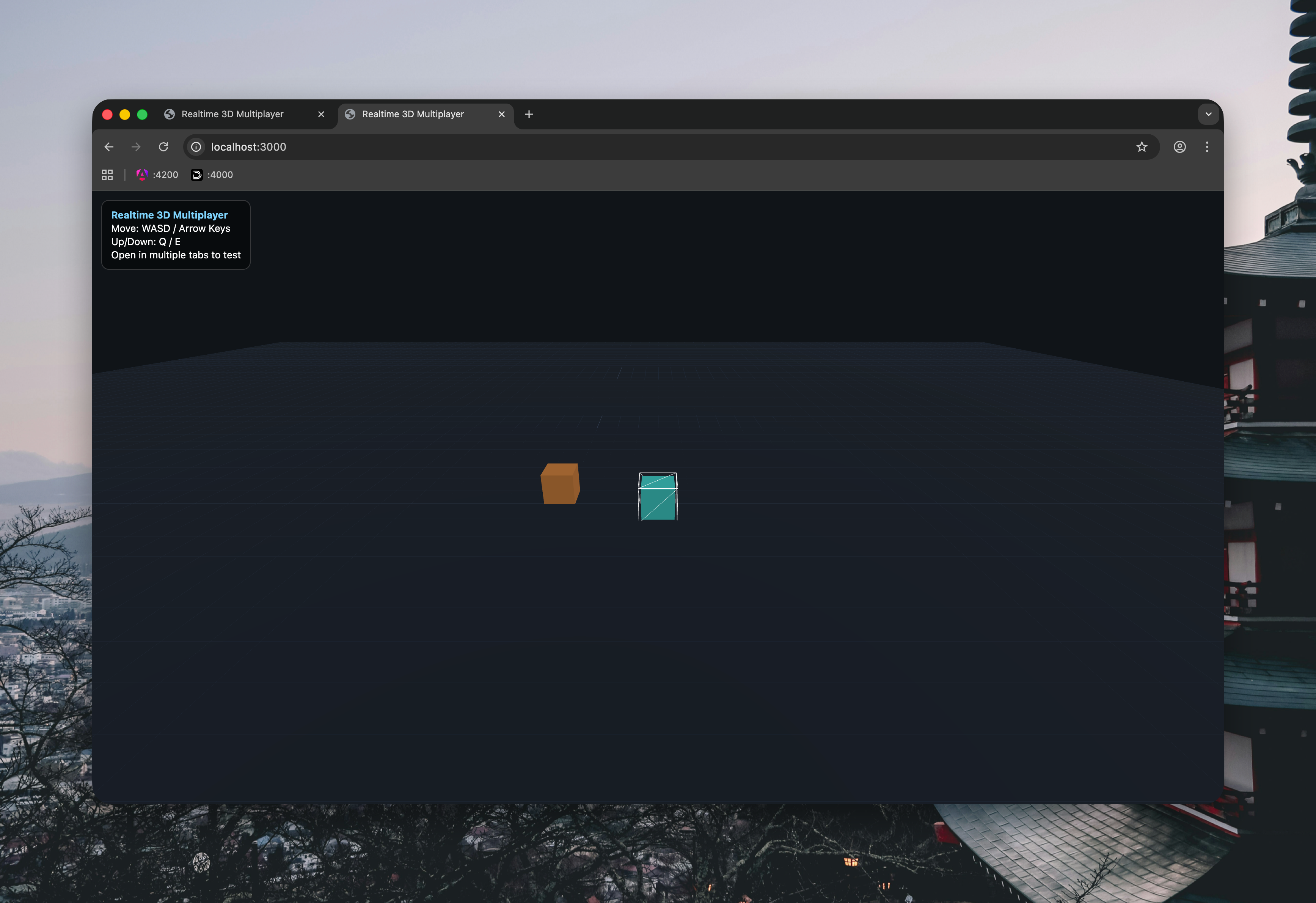
What really stood out, though, was what happened next. Instead of stopping after the first working prototype, the model suggested a few logical next steps on its own: nicknames above players, room/lobby support, simple collisions, and even one-click deploy options.
That caught my attention because some of those were exactly the kind of things that only came later in last year’s experiment, after several additional prompts.
Letting it keep going
At that point, I decided not to over-direct it.
Instead of rewriting its plan in my own words, I just replied:
Sounds good, please go ahead with the suggested implementations.
That was intentional. I wanted to see what happened if I stopped acting like a prompt micromanager and just approved the direction.
Faster than last year
This is where the comparison started to get interesting.
After the initial prompt and that one short confirmation, the project already had player nicknames, a simple lobby flow, basic room support, lightweight collisions, deploy config for Render and Railway, and updated documentation.
That is a lot of ground to cover in basically two interactions.
In the original experiment, getting to a similar level took more back-and-forth. I had to add features one by one, deal with breakages, and keep nudging the model back into shape as new problems appeared.
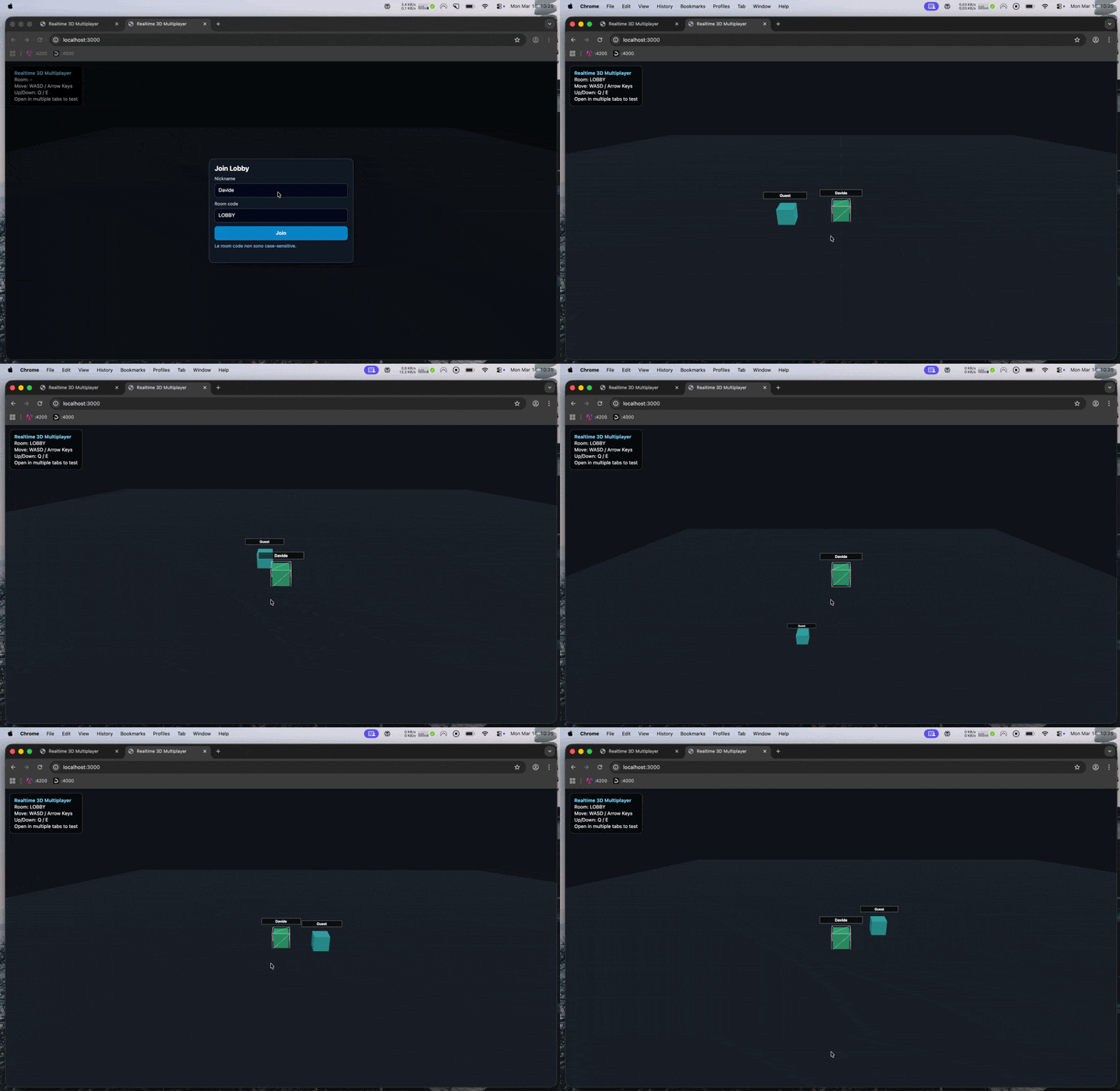
This time, the prototype started to feel usable much earlier.
Adding chat
To keep the comparison going, I reused one of the same prompts from the original article:
Implement a real-time chat system with global and private messaging. The UI should feature a tabbed chat system at the bottom of the screen.
Last year, this was one of the points where things got messy. The feature itself worked, but it also came with several issues: the chat UI was not always in the foreground, the username input was awkward, typing could still move the player, and the generation even hit a time limit before I had to resend the prompt.
This time, the chat was added immediately and it worked much better right away.
The interface was already there, the basic behavior was correct, and, maybe most importantly, none of the prompts up to this point had produced actual code errors.
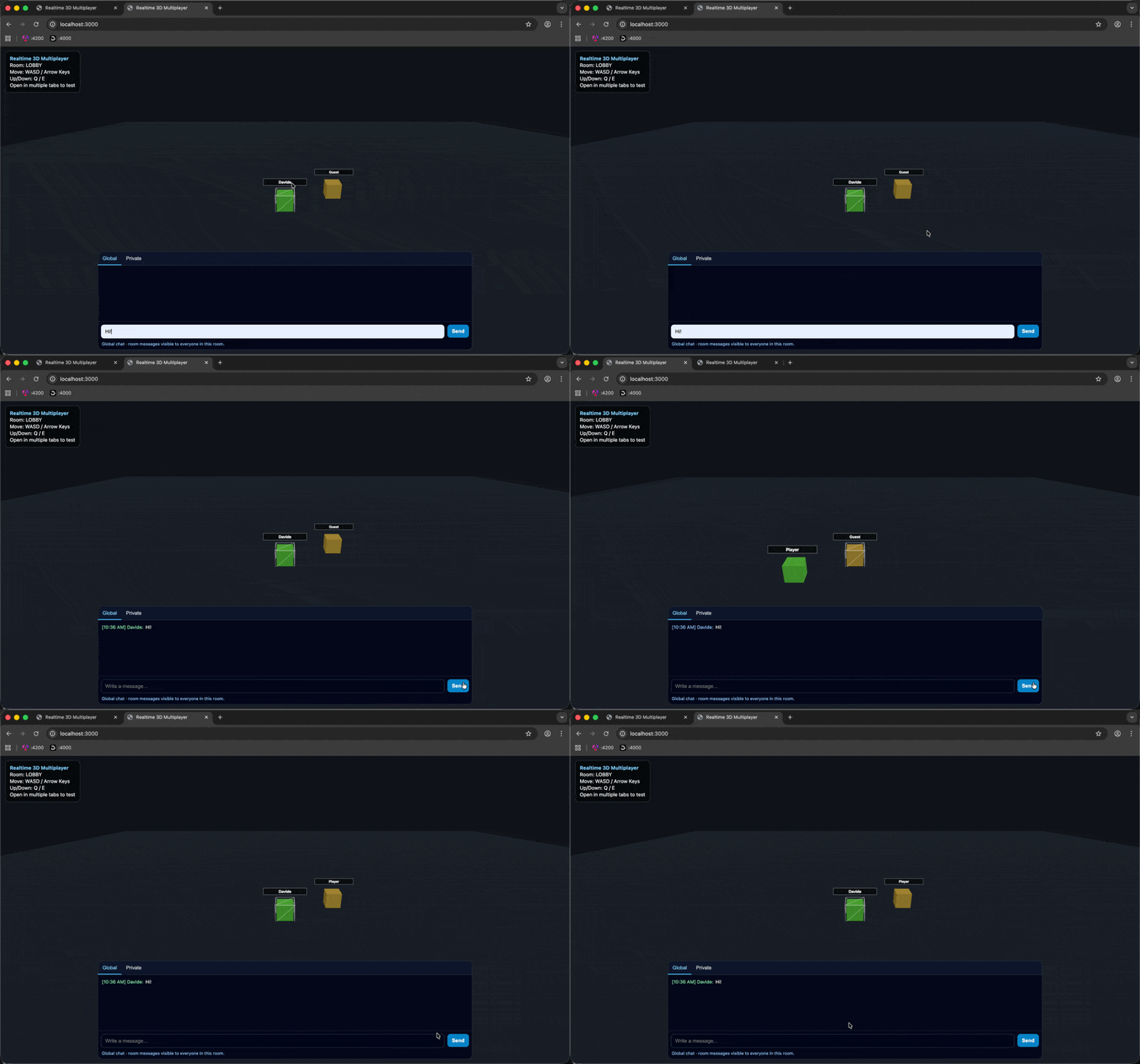
That changes the feel of the whole workflow more than I expected. A year ago, every new feature felt like a mix of progress and recovery. This time, it mostly just felt like progress.
What feels different
So far, the biggest improvement is not that the model is doing something completely different.
It is more that the whole loop feels less fragile.
Last year, I spent a lot of time fixing weird side effects, recovering from regressions, and re-prompting around things that had almost worked but not quite. This time, the defaults have been better, the proposed next steps have made more sense, and the implementation has been much smoother overall.
That does not mean the model can just be left alone. I am still reviewing every step, and I am still working within a fairly controlled scope. But the role feels different now. I am spending less time rescuing the process and more time deciding where to take it next.
Conclusions
Repeating the same experiment after a year has been useful for one simple reason: it removes a lot of the novelty.
Because the project is so similar, the differences are easier to notice.
The biggest one so far is reliability. In the first experiment, I could already see why vibecoding was exciting, but I also had to wrestle with it constantly to keep things moving. In this version, the model has been better at choosing a reasonable stack, suggesting sensible next steps, and implementing features without immediately creating new problems.
I would not call this autonomous software development, and I still would not trust it blindly. The project is small, the scope is controlled, and I am still the one judging every result.
But compared to where this felt a year ago, the workflow is clearly more usable.
Last year, it felt like an interesting experiment. This time, it feels a lot closer to something I could actually use on purpose.